
CRAFTYBOX
Preparing your block world
正在准备你的方块世界
First visit setup
首次访问设置
CRAFTYBOX
Preparing your block world
正在准备你的方块世界
First visit setup
首次访问设置
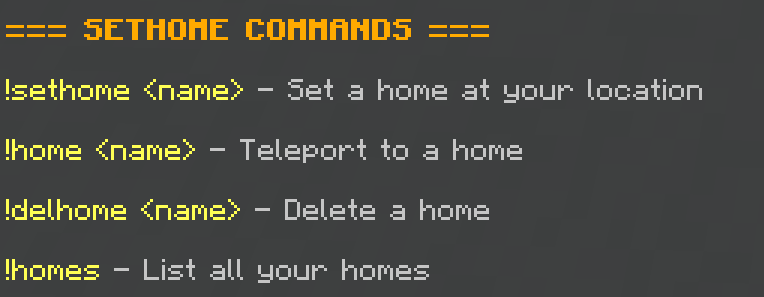
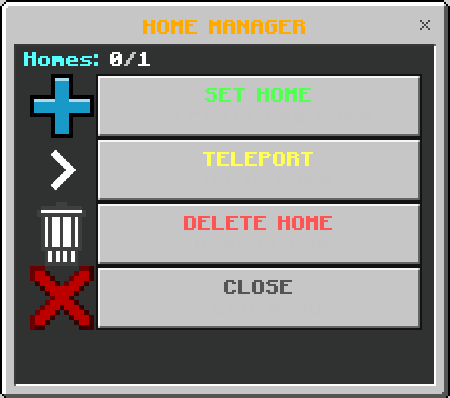
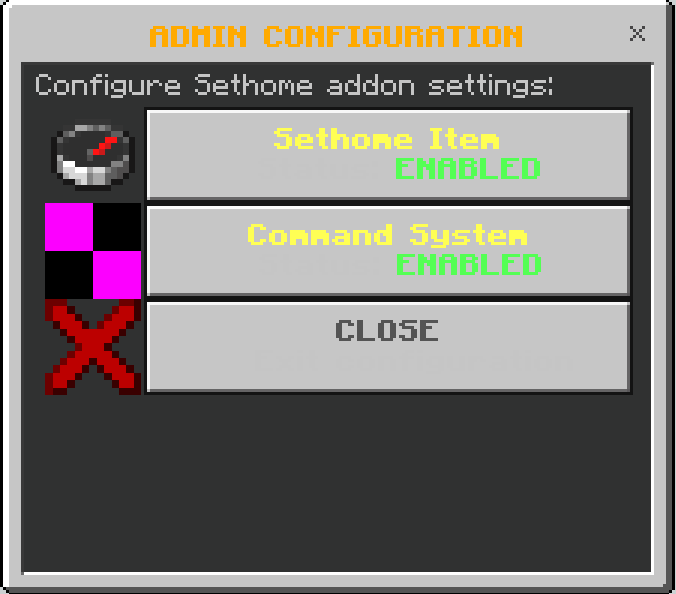
Sethome Never lose your way home again with the ultimate home management system powered by a special compass! Features: Receive a custom-styled Sethome Compass upon spawning Open a professional GUI interface with a simple right-click Save homes across the Overworld, Nether, and End dimensions Advanced admin system to configure custom player home limits Why You'll Love It: 1 Instantly teleport back to your saved bases with a single click. 2 Safely store home coordinates using world dynamic properties. 3 Easily manage locations with a user-friendly GUI menu. How to Get Started: 1 Download the Sethome. 2 Install it in Minecraft PE. 3 Open your world and
Read the full details and screenshots
Open this resource in CraftyBox